Online Trading App Features For New Stock Market Investors
Entering the stock market requires an understanding of how investments work, how orders are placed and what risks are involved. Digital platforms have made it easier for individuals to access market information, follow share prices and manage transactions using a mobile phone or computer.
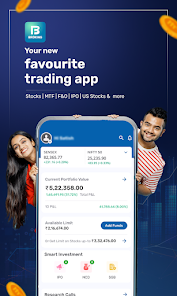
Choosing an Online Trading App is an important decision for new investors. A suitable Stock Trading App should provide clear information, simple order placement and transparent charges. Understanding the connection between Share Market Trading and digital account services can help beginners select a platform that meets their investment requirements.
What Is an Online Trading App?
An online trading app is a digital platform provided by a stockbroker that allows users to access financial markets and place buy or sell orders. It connects the user's trading account to the stock exchange through the broker's systems.
Depending on the provider, an app may support equity delivery, intraday trading, exchange-traded funds (ETFs), derivatives and other eligible financial products.
A trading account and a Demat account serve different purposes:
- Trading account: Used to place buy and sell orders through a stockbroker.
- Demat account: Holds shares and other eligible securities electronically.
- Bank account: Supports fund transfers related to investment transactions.
Many brokers offer trading and Demat account services through a combined registration process.
Important Features of an Online Trading App
Not all trading applications provide the same tools and services. New investors should understand the main features before choosing a platform.
- Easy Account Registration
A simple registration process helps beginners complete the initial steps without unnecessary difficulty. Many brokers offer digital onboarding through their official websites or applications.
The process generally includes entering personal details, submitting PAN information, linking bank details and completing Know Your Customer (KYC) verification.
Before registering, check the broker's credentials and review the account terms.
- Live Market Prices
Access to market prices helps users follow changes in stock values during trading hours. A trading app may display the latest available price, daily price movement, trading volume and other market information.
Check whether the platform provides real-time or delayed data. This distinction matters when reviewing short-term price movements.
- Watchlists
Watchlists allow users to save selected stocks and follow their price movements from one place. Beginners can create separate lists for companies they are researching or already hold in their portfolios.
This feature can make it easier to review selected securities without searching for each company repeatedly.
- Charts and Technical Indicators
Charts display how a stock's price has changed over a selected period. Depending on the platform, users may access candlestick charts, line charts, volume information and technical indicators.
New investors should first understand what these tools represent. Technical indicators are based on historical market information and cannot guarantee future price movements.
- Different Order Types
A good Stock Trading App should explain the order types available to users.
Common examples include:
- Market order: Attempts to execute immediately at the available market price.
- Limit order: Allows the user to specify the maximum buying price or minimum selling price.
- Stop-loss order: Helps trigger an order when a specified price condition is reached, subject to the order type and market conditions.
Order execution is not guaranteed and depends on market liquidity, price movements and applicable exchange rules.
- Portfolio and Holdings View
A portfolio section helps investors review their investments in one place. It may display the quantity of shares held, purchase values, current market values and changes in portfolio value.
Users should understand the difference between realised and unrealised profit or loss when reviewing these figures.
- Price Alerts and Notifications
Some applications allow users to set alerts for selected price levels. Notifications may also provide updates about order execution, fund movements and account activity.
These alerts help users stay informed, but they should not replace independent research or regular account reviews.
- Reports and Transaction History
Access to order history, trade records, contract notes and account statements helps investors review their activity. These records can also help users understand the charges associated with their transactions.
How Share Market Trading Works Through an App
Digital platforms provide access to the stock market through a sequence of steps. Understanding the process can help first-time investors use the application correctly.
Step 1: Open a Trading and Demat Account
Select a registered stockbroker and complete the account opening process. Submit the required documents and complete KYC verification.
A Demat account is generally required to hold shares purchased through equity delivery transactions.
Step 2: Add Funds
Transfer money from your linked bank account to the trading account using the available payment method.
Check the broker's fund transfer rules, processing times and any applicable restrictions.
Step 3: Search for a Stock
Use the search function to find a company by its name or stock symbol. Review the available price information, company details and market activity before making a decision.
Step 4: Place an Order
Select the stock, enter the quantity and choose an appropriate order type. Review the order details before confirming the transaction.
Step 5: Monitor the Order
Check the order book to see whether the order is pending, partially executed, completed or rejected. If the order is executed, review the transaction details.
Step 6: Review Your Holdings
For completed delivery purchases, securities are credited to the linked Demat account after the applicable settlement process. Investors can then review their holdings through the platform.
Documents Required to Start Online Trading
Most individual applicants in India need to provide certain documents and details during account registration.
Common requirements include:
- PAN card for identity and financial verification.
- Aadhaar or another accepted identity and address proof.
- Bank account details for fund transfers.
- Registered mobile number for OTP verification.
- Email address for statements and account communication.
- Photograph and signature, if requested by the provider.
Requirements may vary depending on the broker and account type. Always check the official provider's instructions before submitting documents.
Tips for New Stock Market Investors
Using a trading app does not remove the risks associated with investing. Beginners should follow a careful approach.
Understand the Basics First
Learn about stock prices, market orders, limit orders, settlement and trading charges before placing transactions.
Research Before Investing
Review company information, financial performance and relevant market developments. Avoid making decisions based only on social media posts or unverified tips.
Start With an Affordable Amount
Begin with an amount that fits your financial situation. Avoid investing money needed for essential expenses or emergency requirements.
Review Every Order
Check the stock name, quantity, order type and price before submitting an order. This can help prevent mistakes.
Protect Your Account
Use strong passwords and available two-factor authentication. Never share OTPs, PINs or login details with anyone.
How to Choose the Right Online Trading App
Compare different brokers based on factors that affect your regular trading experience:
- Regulatory registration: Verify the broker's SEBI registration and relevant authorisations.
- Transparent pricing: Review brokerage and other applicable charges.
- Platform reliability: Check whether the application works consistently during market hours.
- Customer support: Look for clear support channels and complaint resolution processes.
- Research tools: Compare charts, company information and market data.
- Security: Review login protection and transaction notifications.
The right platform should meet your requirements without making the fee structure or account conditions difficult to understand.
Conclusion
An online trading platform gives investors access to market information, order placement and portfolio management through digital services. However, choosing an application should involve more than looking at its design or promotional offers.
Before selecting an Online Trading App, compare its features, charges, security and customer support. A suitable Stock Trading App should make essential account information easy to access and provide clear order details. Understanding the risks involved in Share Market Trading and using the available tools responsibly can help new investors make more informed decisions.